
അങ്ങനെ വളരെ കാലത്തെ കാത്തിരിപ്പിനൊടുവിൽ ടെലഗ്രാമിൽ status/stories ഫീച്ചർ എത്തിയിരിക്കുകയാണ്.
ടെലഗ്രാമിന്റെ 9.7 എന്ന വേർഷനിലാണ് ഈ ഫീച്ചർ ഉൾപ്പെടുത്തിയിട്ടുള്ളത്. പതിവിൽ നിന്നു വിപരീതമായി ഇത്തവണ public beta വേർഷൻ ഇറക്കാതെ direct ആയാണ് update നൽകിയിരിക്കുന്നത്.
എന്തൊക്കെയാണ് പ്രത്യേകതകൾ എന്ന് നോക്കാം...
പ്രധാനപ്പെട്ടത്:
നിലവിൽ കുറച്ചു നാളത്തേക്ക് Telegram premium subscribers നു മാത്രമേ stories പോസ്റ്റ് ചെയ്യാൻ കഴിയുകയുള്ളൂ.
(Stories are still in beta stage. Premium subscribers are the beta testers എന്ന് വേണമെങ്കിൽ പറയാം.)
എന്നാൽ 9.7 ലേക്ക് update ചെയ്ത എല്ലാവർക്കും stories കാണാൻ കഴിയുന്നതാണ്.
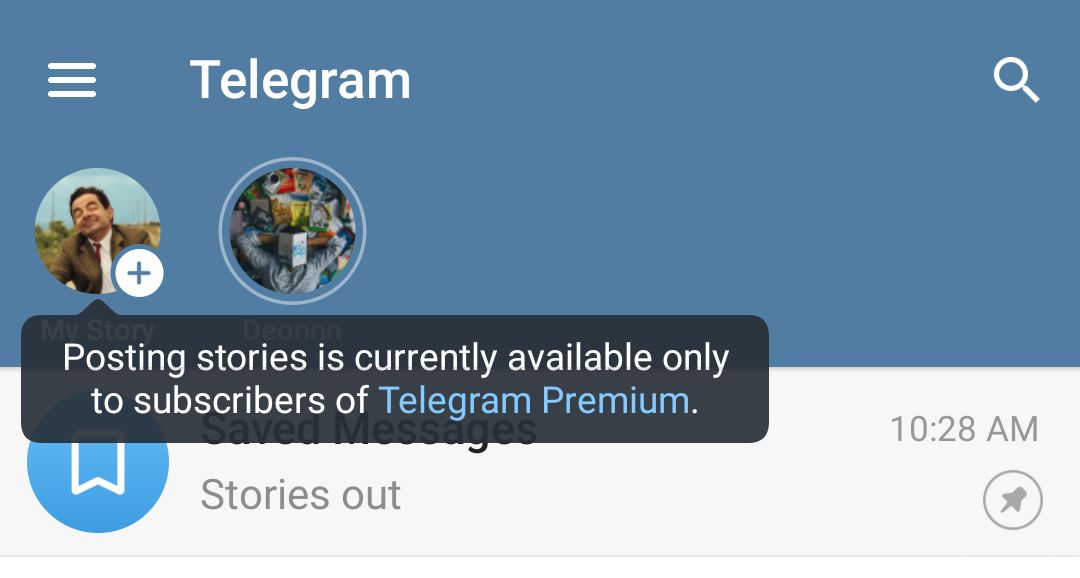
എങ്ങനെയാണ് story പോസ്റ്റ് ചെയ്യുക?
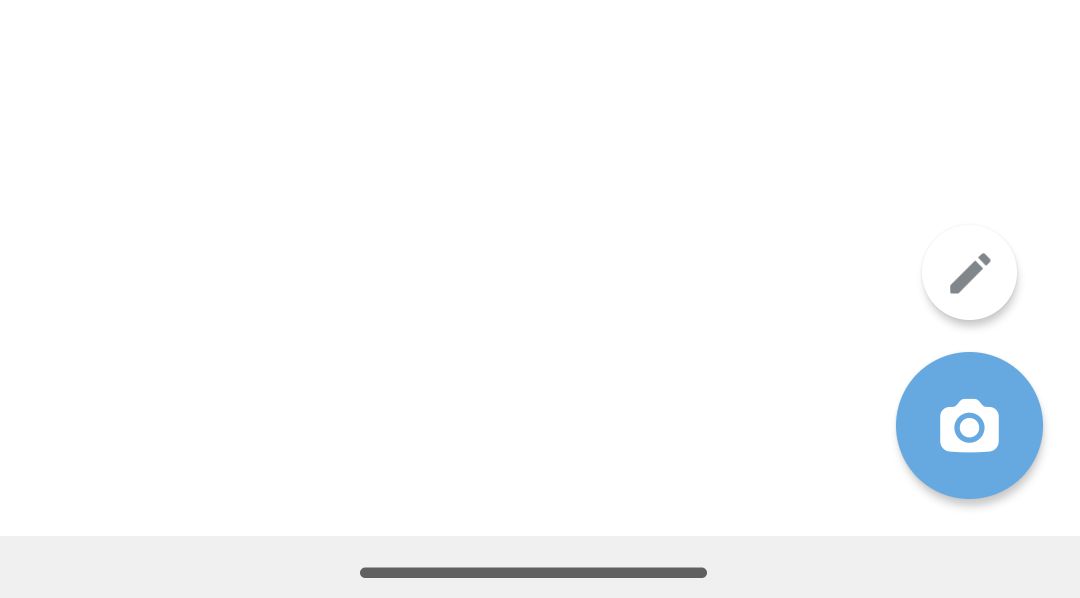
മുകളിലെ സ്ക്രീൻഷോട്ടിൽ ഉള്ളതുപോലെ my story എന്നതിൽ ക്ലിക്ക് ചെയ്തോ home സ്ക്രീനിൽ താഴെയുള്ള camera icon (പഴയ pen icon) ക്ലിക്ക് ചെയ്തോ stories add ചെയ്യാം.
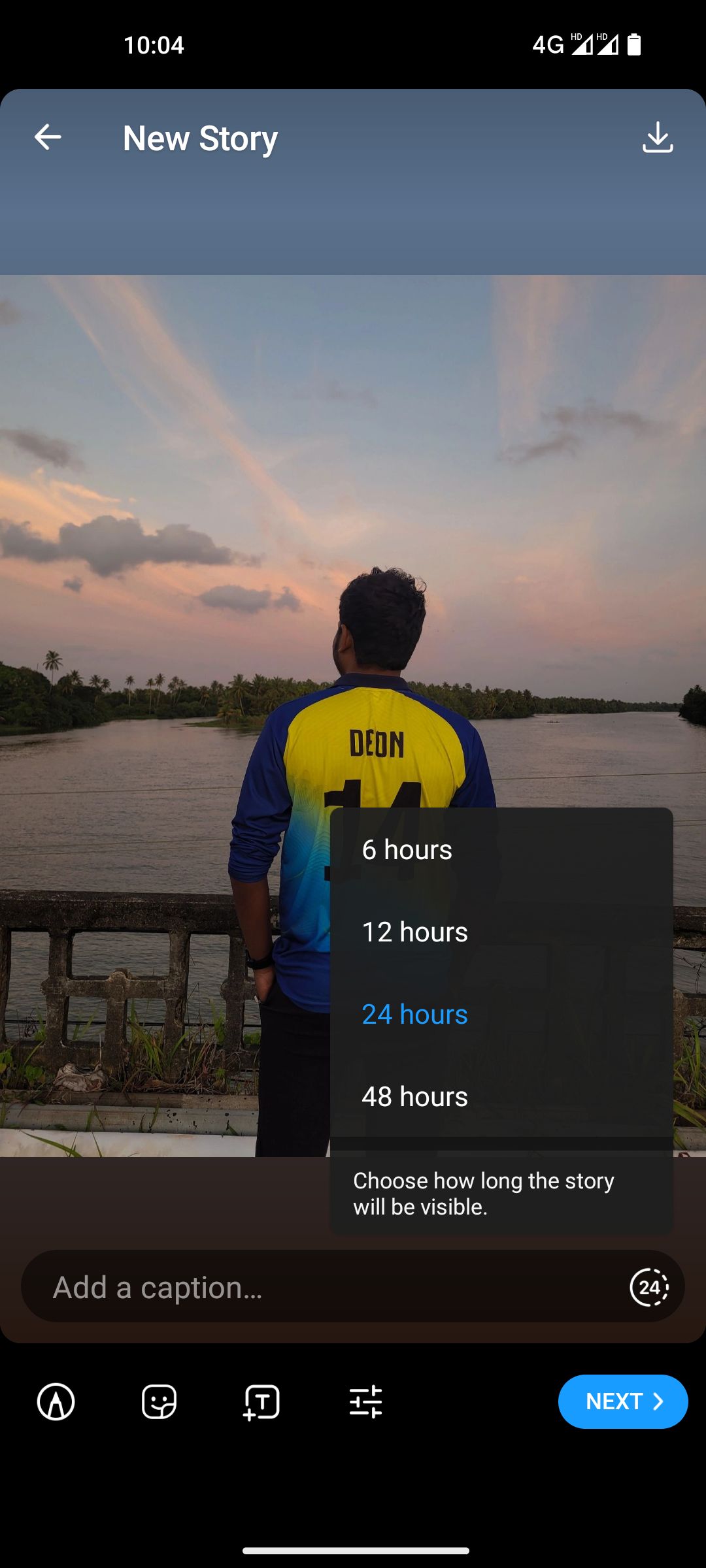
Instagram ലേതിന് സമാനമായ ഒരു ഇന്റർഫേസ് ആണ് ടെലഗ്രാം സ്റ്റോറിക്ക് ഉള്ളത്...
ഗാലറിയിൽ നിന്ന് photo / video select ചെയ്യാം.
Text / stickers ചേർക്കാം.
Drawing ചെയ്യാം.
Light / color adjust ചെയ്യാം.
സുഹൃത്തുക്കളെ മെൻഷൻ ചെയ്യാം.
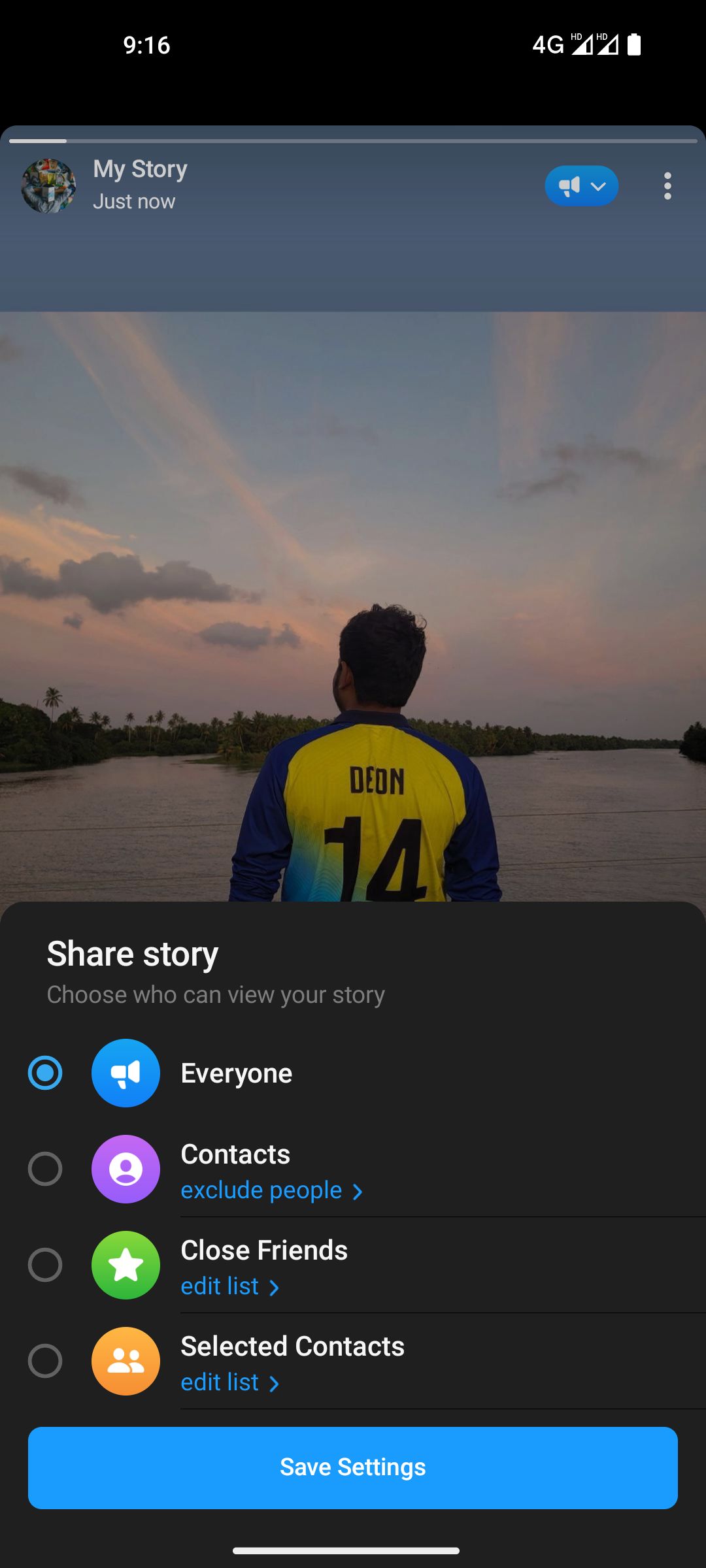
Privacy:
എത്ര സമയം നിൽക്കണം എന്ന് (6, 12, 24, 48 hrs) തീരുമാനിക്കാം.
ആരൊക്കെ കാണണം എന്ന് തീരുമാനിക്കാം.
Screenshot protection നൽകാം.
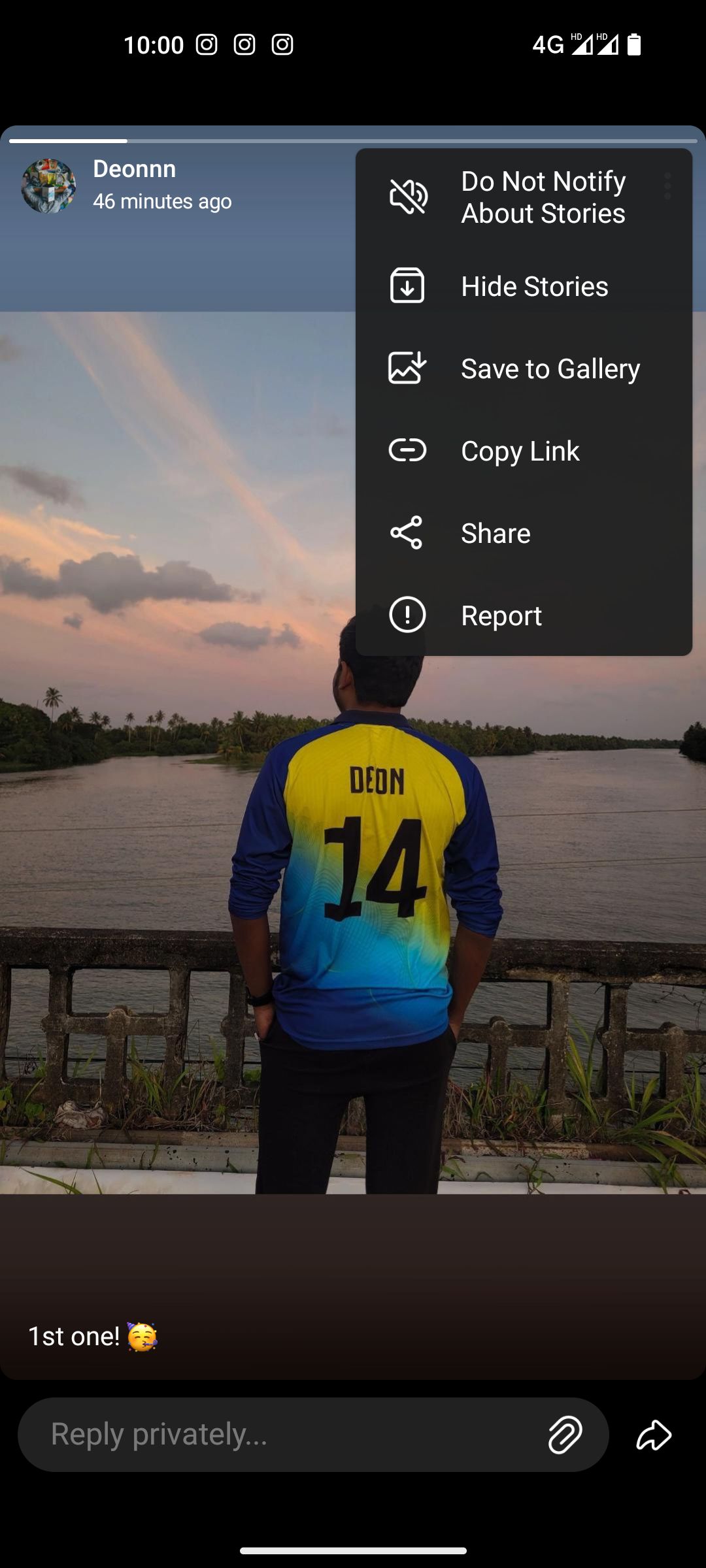
ഒരാൾ ഇട്ട സ്റ്റോറിക്ക് പ്രൈവറ്റ് ആയി റിപ്ലൈ നൽകാം. ആവശ്യമെങ്കിൽ instant reaction ഉം കൊടുക്കാം.
വേണ്ടാത്ത ആളുകളുടെ സ്റ്റോറീസ് hide ചെയ്യാം, വേണ്ട ആളുകളുടെതിന് notification enable ചെയ്യാം.
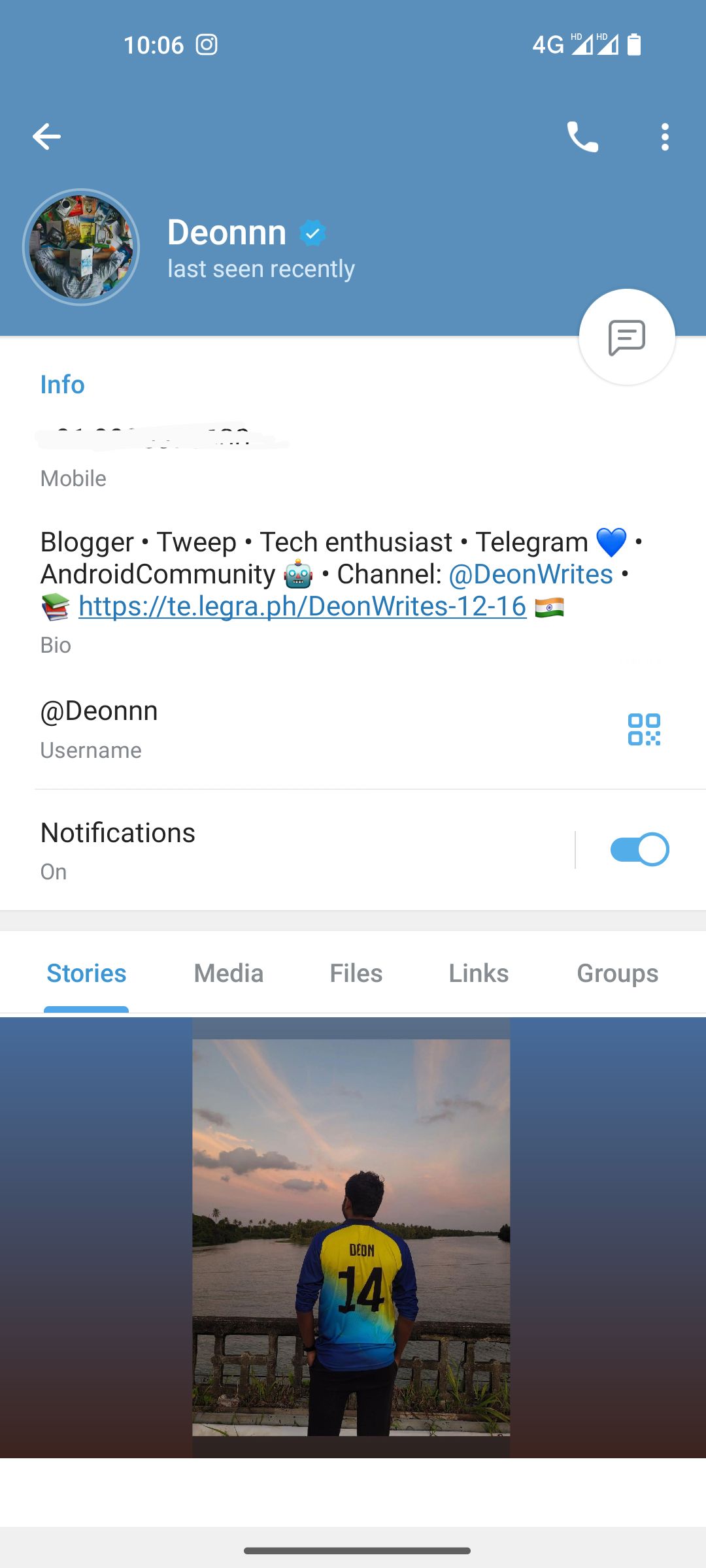
നമുക്ക് ആവശ്യമെങ്കിൽ നമ്മുടെ പ്രധാനപ്പെട്ട stories നമ്മുടെ profile ൽ display ചെയ്യുകയും ആവാം...
💬 Add a comment to this post
Your comment goes straight to Deon — nothing shows up here until he has reviewed it.
Add a comment →
Read more:
• ടെലഗ്രാമിനെപ്പറ്റി കൂടുതൽ വായിക്കാം